
iThute Blackboard Ultra Login
iThute Blackboard Ultra Login
Method 1: Directly through the ithute URL (Quickest login method!)
- Open your browser (Chrome – recommended)
- In the address bar, type the URL for ithute: https://ithute.smu.ac.za/
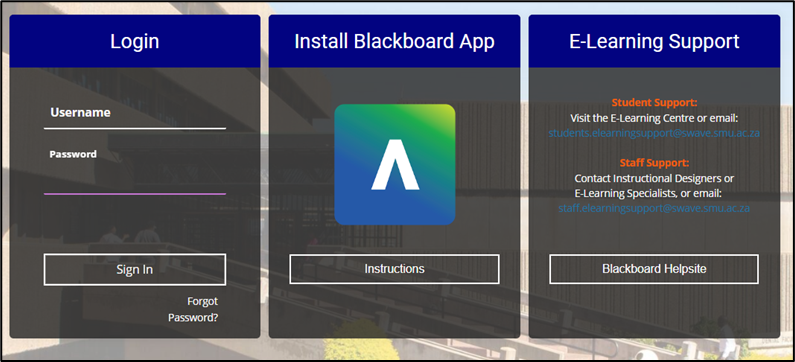
- Login using your EMPL ID/ Staff number username and password, e.g username 12345 Password: changeme
- Click on Sign In.
- The ithute Home Page will open. See the descriptions below.
The ithute Home Page will display.
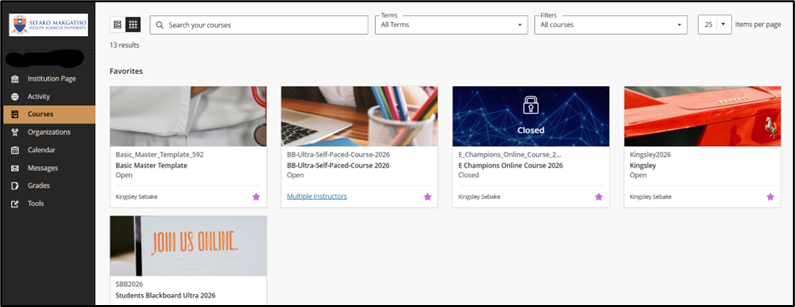
- From the moment you log in, you have access to core features in the menu where your name appears. At the top of the Menu, you can click on the icon ithute Help to navigate to the Help page.
- Click on the module code you wish to If you do not see the module code you need, request access by filling in the module request form and sign by the HOD.