
iThute Blackboard Ultra Navigating Interface
iThute Blackboard Ultra Navigating Interface
iThute-Module
Each course card lists the course ID, course title, and instructor. If your course has multiple instructors, select Multiple Instructors for a list. Select More info to see the description and schedule, if added.
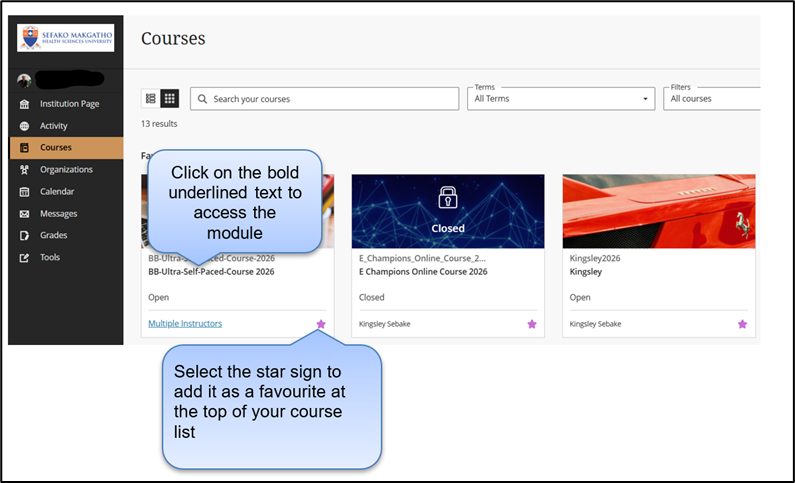
Click on the module code you wish to access.
If you do not see the module code you need to request access by filling in the module request form and have it signed by the HOD.